How to connect your own domain (.com, .com.bd)
Run your store on yourshop.com by changing nameservers or adding two A records. SSL (https) turns on automatically and your existing email keeps working.
On this page
Your store starts on your-name.nimeshe.app. Connect your own domain (like rongdhonu.com or rongdhonu.com.bd) and customers see your store at that address — it builds trust and is easy to remember.
Getting started
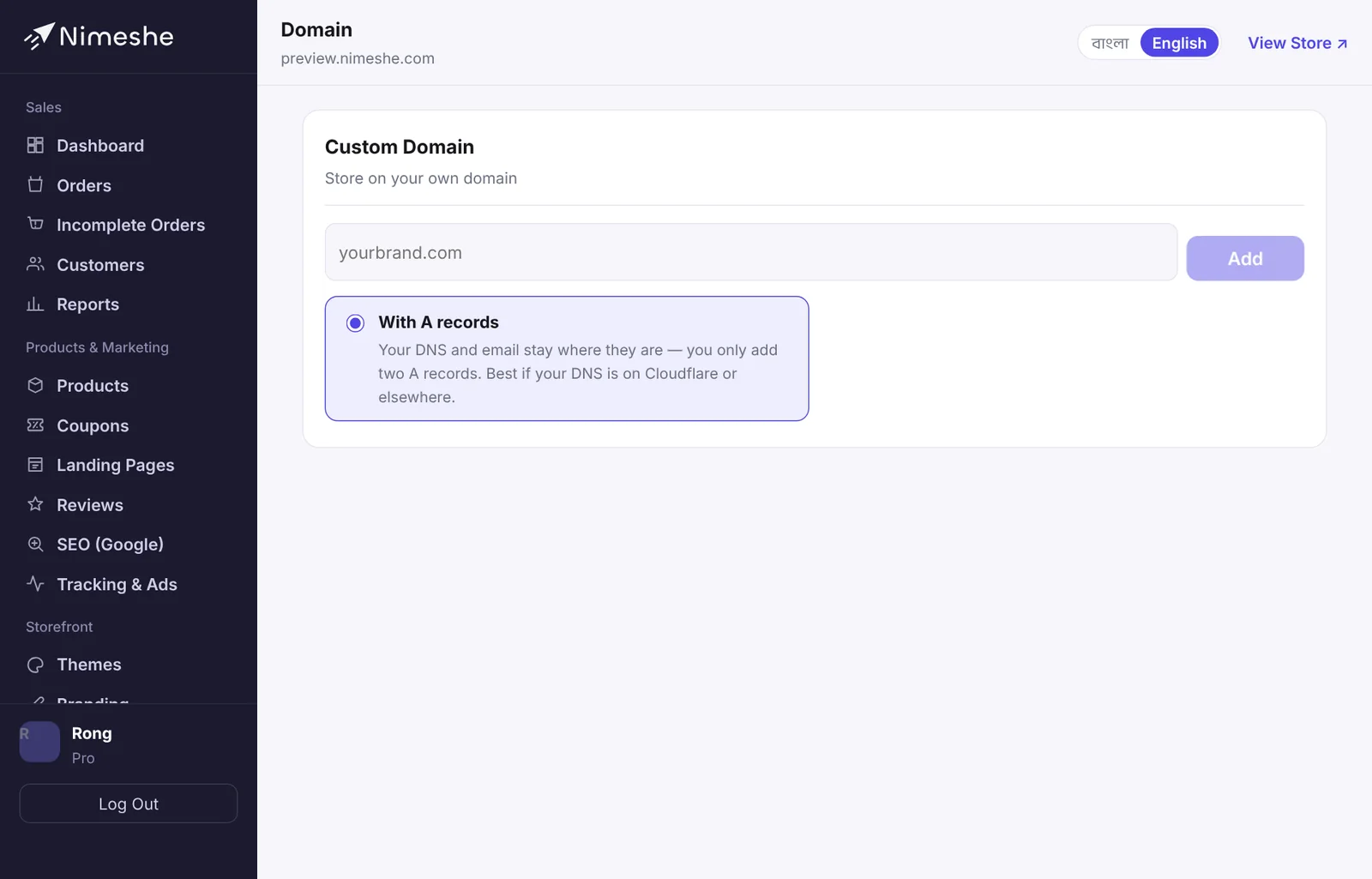
- In your admin, open Domain.
- Type your domain in Your domain, e.g.
rongdhonu.com(withouthttps://orwww). - Click Add, then follow one of the two ways below.
Way 1: change nameservers (easiest)
Nimeshe handles all the DNS for the domain.
- Log in where you bought the domain.
- Open the domain's Nameservers settings and choose "Custom nameservers".
- Enter Nameserver 1 and Nameserver 2 exactly as shown on Nimeshe's Domain page and save. Remove the old nameservers.
- Back in Nimeshe, click Verify.
If your domain already has email (e.g. Google Workspace), Nimeshe copies its MX and TXT records first, so email keeps working after the switch. You can add more records later under DNS records on the same page.
Way 2: A records
Your DNS stays where it is (e.g. Cloudflare). You only add two records.
- Open your domain's DNS settings.
- Add the two A records shown on Nimeshe's page — one for
@(the main domain) and one forwww, both pointing to the IP shown. - Delete any old A or CNAME records with the same names.
- Back in Nimeshe, click Verify.
What happens next
- DNS changes take a few minutes to 24 hours (sometimes 48) to spread. While the status says Pending, click Verify again later.
- When it works, the status becomes ✓ Active. The SSL certificate is set up automatically, so the store opens with
https://. - Both
www.rongdhonu.comandrongdhonu.comopen the store. - Your old
.nimeshe.appaddress keeps working, so links you shared earlier don't break.
.com.bd domains
For .com.bd domains, nameservers are usually changed through the provider you bought from (they apply to BTCL). Give them Nimeshe's two nameservers, or ask them to add the two A records in their DNS. This can take longer.
FAQ
It has said "Pending" for a long time.
Check the nameservers or A records again — spelling, dots, and that old records were removed. If it still isn't active after 24 hours, open a support ticket with your domain name.
What if I remove the domain?
Click Remove and the store runs on its .nimeshe.app address only. No products or orders are lost.